
A binary to hexadecimal converter takes a number written in base 2 and expresses that same value in base 16. Students working through number systems, programmers reading memory dumps or debug logs, and web developers handling colour values all run into this conversion at some point. This guide walks through the different ways to convert binary to hexadecimal by hand, points out the mistakes that trip people up most often, and covers how to reverse the process and turn a hexadecimal value back into binary.
How Do You Convert a Binary Number to Hexadecimal?
The whole conversion rests on one fact: a single hexadecimal digit can stand in for exactly four binary digits. Since two raised to the fourth power equals sixteen, every possible arrangement of four bits lines up with one of the sixteen hexadecimal symbols, 0 through F. Grouping binary digits into fours and mapping each group is therefore the basis of every method that follows. From here there is more than one way to reach the same answer: some people look up each group of four bits in a table, others use a quicker mental shortcut built on place value, and some prefer to pass through decimal as a middle step. Each of these is explained in its own section below.
What Is the Binary to Hexadecimal Conversion Table?
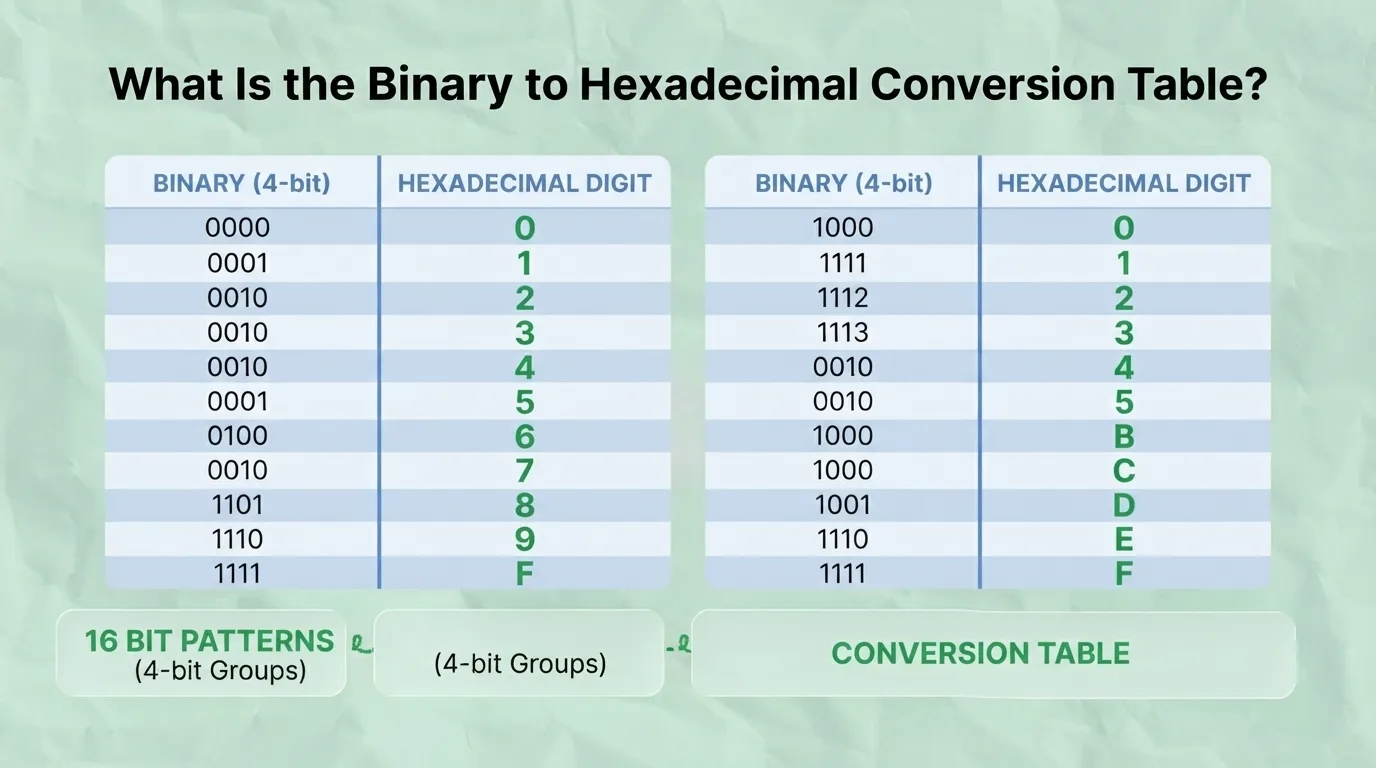
The table below lists all sixteen 4-bit binary patterns next to the hexadecimal digit each one represents.
4-Bit Binary | Hexadecimal Digit |
0000 | 0 |
0001 | 1 |
0010 | 2 |
0011 | 3 |
0100 | 4 |
0101 | 5 |
0110 | 6 |
0111 | 7 |
1000 | 8 |
1001 | 9 |
1010 | A |
1011 | B |
1100 | C |
1101 | D |
1110 | E |
1111 | F |
Because a hexadecimal digit and a 4-bit binary group cover exactly the same sixteen values, this table works in either direction. Look up a group of four bits to find its hex digit, or look up a hex digit to expand it back into four bits. This one-to-one relationship, documented on reference sites such as RapidTables, is the reason grouping binary digits in sets of four is the standard approach rather than converting digit by digit.
What Is a Nibble and How Does It Relate to a Hexadecimal Digit?
A nibble is a group of four binary digits, which makes it exactly half of a standard 8-bit byte. This is precisely why a single hexadecimal digit can represent a nibble in full: both cover the same sixteen possible values, from 0000 to 1111 on the binary side and 0 to F on the hexadecimal side. Extend this to a full byte and the pattern holds neatly, since a byte is made of two nibbles, so it always converts to exactly two hexadecimal digits, ranging from 00 up to FF. This is the reason hexadecimal is used so widely to describe memory addresses and byte values: two clean hex characters say exactly as much as eight binary digits, without losing any precision.
How Do You Use the Group-of-Four Method to Convert Binary to Hexadecimal by Hand?

This is the direct route: split the binary number into groups of four digits, counting from the right-hand end, then map each group to its hexadecimal digit using the table above. If the group on the far left ends up with fewer than four digits, pad it with zeros on its left until it has four.
Take the binary number 110110101100 as an example. Split from the right into groups of four:
● 1101
● 1010
● 1100
Each group already has four digits, so no padding is needed. Mapping each one against the table gives 1101 = D, 1010 = A, and 1100 = C. Reading the results left to right, 110110101100 in binary equals DAC in hexadecimal.
What Is the Weighted Value Shortcut for Converting Binary to Hexadecimal by Hand?

Rather than matching each group of four bits against a table, this shortcut works out the hex digit directly from place value. Within any group of four bits, the positions carry the weights 8, 4, 2, and 1 from left to right. Add together only the weights where the bit is 1, and the sum is the hexadecimal digit for that group. This is a faster route once it becomes familiar, and it is worth knowing as an alternative to table lookup rather than a replacement for it.
Using the same group 1101 from the earlier example: the bit under the 8 is 1, under the 4 is 1, under the 2 is 0, and under the 1 is 1. Adding the weights where the bit is 1 gives 8 + 4 + 1 = 13, and 13 in hexadecimal is D, which matches the table lookup result.
How Do You Convert Binary to Hexadecimal Using Decimal as an Intermediate Step?
This indirect method works in two stages. First, convert the binary number to decimal by multiplying each digit by its corresponding power of 2 and adding the results together. Second, convert that decimal value to hexadecimal by dividing repeatedly by 16 and reading the remainders in reverse order. It takes longer by hand than the direct grouping methods, but it is a useful way to double-check an answer reached another way.
Take the binary number 10110 as an example.
Stage one, binary to decimal: (1×16) + (0×8) + (1×4) + (1×2) + (0×1) = 16 + 0 + 4 + 2 + 0 = 22.
Stage two, decimal to hex: 22 ÷ 16 = 1 remainder 6. Reading the quotient and remainder gives 16 in hexadecimal. So 10110 in binary equals 16 in hexadecimal, which matches what direct grouping would give once the number is padded to 0001 0110.
How Do You Handle a Binary Number That Is Not a Multiple of Four Digits?

Grouping always starts from the right, so any digits left over land in the leftmost group. When that leftmost group has fewer than four digits, add zeros to its left until it reaches four. This does not change the value of the number, since leading zeros in the whole-number part never affect what a number represents.
The unpadded binary number 1011010 has seven digits. Grouped from the right it splits into 101, 1010, where the leftmost group has only three digits. Padding that group with a single leading zero gives 0101, 1010, which converts cleanly to 5A in hexadecimal.
How Do You Convert a Binary Fraction to Hexadecimal?
A binary number with a fractional part is grouped in two directions from the radix point. The whole-number part is grouped from the point going left, exactly as before, while the fractional part is grouped from the point going right. Padding is added wherever a group falls short of four digits: on the left for the whole-number side, and on the right for the fractional side.
Take the binary number 1011.011. The whole-number part 1011 already has four digits and maps to B. The fractional part 011 has only three digits, so it is padded with a trailing zero to become 0110, which maps to 6. Putting the two sides together, 1011.011 in binary equals B.6 in hexadecimal.
Not every binary fraction converts to a clean, finite hexadecimal value; some repeat indefinitely, in the same way that a fraction like one-third never terminates in decimal. That behaviour ties into how computers store floating-point numbers, which is a separate topic from the grouping method covered here.
How Do You Convert a Negative or Signed Binary Number to Hexadecimal?
Hexadecimal digits alone carry no sign, so a negative binary number needs to be interpreted through two's complement within a fixed bit-length, such as 8-bit, 16-bit, or 32-bit, before it can be converted. Within that chosen bit-length, the leftmost bit indicates whether the value is negative: if it is 1, the number represents a negative value in two's complement form. Take the 8-bit pattern 11111011. Grouped and converted directly it maps to FB in hexadecimal, and because the leftmost bit is 1, this represents a negative decimal value under 8-bit two's complement rather than a large positive one. Working out exactly which negative value it represents, and how the process changes across different bit-lengths, is covered in full on the hex to signed integer and two's complement calculator.
Can You Convert Multiple Binary Values to Hexadecimal at Once?
Some conversion tools accept several binary values in one go, separated by spaces or by line breaks, and return the matching hexadecimal value for each one instead of requiring a separate conversion for every entry. This is useful for programmers working through a list of values or a batch of log data, where converting one number at a time would be slow.
What Mistakes Do People Commonly Make When Converting Binary to Hexadecimal?

1. Missing zero-padding: forgetting to pad the leftmost group to four digits before mapping it, which throws off the resulting hex digit. Fix: always check that the leftmost group has four digits before reading the table.
2. Padding the wrong side for fractions: adding zeros to the left of a fractional group instead of the right. Fix: remember that whole numbers pad on the left, fractions pad on the right.
3. Mixing up conversion methods midway: starting with the weighted shortcut and switching to table lookup partway through a number, which leads to inconsistent grouping. Fix: pick one method and use it for the entire number.
4. Misreading hex letters as their alphabetical position instead of their value: treating F as the sixth letter rather than the value 15. Fix: keep the conversion table on hand until the A-to-F values are memorised.
5. Ignoring bit-length before converting a negative number: applying two's complement without first fixing whether the number is 8-bit, 16-bit, or 32-bit. Fix: decide the bit-length before interpreting the sign.
A reliable way to catch any of these errors is to convert the hexadecimal result back to binary and check that it matches the original number.
How Do You Convert Hexadecimal Back to Binary?
The reverse process uses the same table covered earlier. Expand each hexadecimal digit into its 4-bit binary equivalent, then place the groups next to each other in the original order to rebuild the full binary number.
Take the hexadecimal value 2F. The digit 2 expands to 0010 and F expands to 1111. Placed in order, 2F in hexadecimal equals 00101111 in binary.
Where Is Binary to Hexadecimal Conversion Used in Computing and Programming?
This conversion shows up across several areas of computing. Programmers read memory addresses and machine code in hexadecimal because it is far more compact than binary. Web developers use hexadecimal to write colour codes in HTML and CSS. Anyone working with network data or protocol headers regularly comes across hex-formatted values. Most programming languages also include a built-in way to convert between these bases directly in code, and hexadecimal sits alongside related number systems such as octal and decimal that come up in the same contexts. Each of these is covered in more depth in the sections below.
How Do You Convert Binary to Hexadecimal in Programming Languages Like Python, JavaScript, Java, and C?
Most higher-level languages include a built-in shortcut for this conversion rather than requiring the manual grouping method. In Python, the hex() function takes an integer and returns its hexadecimal string, for example hex(214) returns '0xd6'. In JavaScript, calling toString(16) on a number does the same thing, so (214).toString(16) returns 'd6'. Java offers a comparable method through Integer.toHexString(). Lower-level languages such as C do not provide a single built-in conversion function in the same way and typically call for a format specifier such as %x within printf, or a manual bit-shifting approach when working directly with binary data.
A wider set of code snippets covering number base conversion across several languages is available on the developer tools and code snippets page for number base conversion.
How Do You Convert Binary to Decimal Numbers?
Binary to decimal conversion is the first stage of the indirect method covered earlier on this page, and it follows one core rule: multiply each binary digit by its corresponding power of 2, starting from 2 to the power of 0 on the rightmost digit, and add the results together. For a standalone explanation with a full worked example, the dedicated binary to decimal converter covers this in detail.
How Do You Convert Decimal Numbers to Hexadecimal?
Decimal to hexadecimal conversion is the second stage of the indirect method described earlier, and it follows the reverse logic: divide the decimal number repeatedly by 16, keep track of each remainder, and read those remainders in reverse order to get the hexadecimal result. This is the direct route for a reader who already has a decimal number in hand and wants its hexadecimal equivalent without going through binary first, and it is covered fully on the decimal to hexadecimal converter.
How Does Binary to Octal Conversion Compare to Binary to Hexadecimal Conversion?
Octal is a related base-8 number system, and it follows the same grouping logic as hexadecimal but with a different group size: binary digits are grouped in sets of three for octal instead of sets of four. Octal saw more use in older computing systems, while hexadecimal is now the more common choice because a group of four bits lines up neatly with a nibble and a byte. The full grouping process for base 8 is covered on the binary to octal converter.
How Do You Convert Hexadecimal Numbers to Decimal?
Converting hexadecimal straight to decimal, without passing through binary, follows one core rule: multiply each hexadecimal digit by its corresponding power of 16, starting from 16 to the power of 0 on the rightmost digit, and add the results together. This is the direct route for a reader who has a hexadecimal value and wants its base-10 equivalent. An interactive version of this conversion, along with worked examples, is available on the hex to decimal converter.
How Do Bitwise Operations Like AND, OR, and XOR Work With Binary and Hex Values?
Bitwise operations are a related but separate topic from base conversion, and they matter to anyone working with flags, masks, or bit shifts in code. AND returns 1 only where both bits being compared are 1, OR returns 1 where at least one of the bits is 1, and XOR returns 1 where exactly one of the two bits is 1 but not both. For example, comparing the 4-bit values 1010 and 1100 gives 1000 under AND, 1110 under OR, and 0110 under XOR.
A dedicated bitwise operations calculator covers AND, OR, XOR, and bit shifting in full, working with both binary and hexadecimal input.
How Are Hexadecimal Values Used in Web Color Codes?
HTML and CSS represent colours using a 6-digit hexadecimal number, where each pair of digits controls one of the red, green, and blue channels. FFFFFF represents white, since every channel is at its maximum value, while 000000 represents black, where every channel is at zero. A colour such as FF0000 is pure red, since only the first pair of digits is set to its maximum. This is a common next step for anyone arriving at hexadecimal through binary conversion or memory work who now needs to apply the same number system to colour on the web.
A full hex color code converter and picker is available for looking up or generating colour values directly.
How Do You Convert a Negative Binary Number Using Two's Complement in More Detail?
Building on the two's complement concept introduced earlier on this page, the same binary pattern can represent a different signed value depending on the bit-length chosen for interpretation, and the most significant bit remains the deciding factor for whether that value is negative. Working through this across multiple bit-lengths, and converting directly between a signed integer and its hexadecimal form, is covered in full on the hex to signed integer and two's complement calculator.
How Is Text Represented in Binary and Hexadecimal Using ASCII?
Individual characters are stored as binary values based on a standard such as ASCII, and those values are often shown in hexadecimal instead of binary because hex is more compact when reading raw data. The letter A, for instance, has the ASCII value 65 in decimal, 01000001 in binary, and 41 in hexadecimal. Spelling out a short word this way shows the same pattern repeating character by character, with each letter carrying its own binary and hexadecimal value.
The full character set and worked examples are available on the ASCII to binary and hex converter.
How Do You Perform Basic Arithmetic on Binary Numbers?
Binary arithmetic is a related but separate skill from base conversion, useful for anyone who needs to work with binary values directly rather than converting them first. Binary addition follows the same carrying logic as decimal addition, just with only two digits available. Adding 0101 and 0011, for example, gives 1000: the rightmost column adds 1 and 1 to give 0 carry 1, the next column adds 0, 1, and the carried 1 to give 0 carry 1, and so on through the remaining columns.
A full set of binary arithmetic operations is available on the binary calculator.
Frequently Asked Questions
What is 1010 in hexadecimal?
The binary number 1010 is a single group of four digits, so it maps directly to one hexadecimal digit. Using the weighted values 8, 4, 2, and 1, only the 8 and 2 positions hold a 1, giving 8 + 2 = 10, which is A in hexadecimal. So 1010 in binary equals A in hexadecimal.
Why does hexadecimal use the letters A to F?
Hexadecimal is a base-16 system, but the usual decimal digits only go up to 9, which covers just ten of the sixteen values needed. The letters A through F fill in the remaining six values, so A stands for 10, B for 11, C for 12, D for 13, E for 14, and F for 15.
Can every binary number be converted to hexadecimal exactly, with no rounding?
Any whole binary number converts to an exact hexadecimal value with no rounding, since both systems can represent whole numbers precisely. Binary fractions are a separate case: most convert cleanly, but some repeat indefinitely in hexadecimal just as some decimal fractions never terminate, so those specific values cannot be written out to an exact finite number of digits.
Is hexadecimal always shorter than binary for the same value?
Yes. Since one hexadecimal digit replaces four binary digits, any hexadecimal representation is roughly a quarter of the length of its binary equivalent. This is the main reason hexadecimal is preferred for reading memory addresses, colour codes, and other long binary values.
Do I need to memorise the conversion table to convert binary to hexadecimal?
Not strictly, since the weighted value shortcut and the decimal intermediate method both work without it. That said, most people who convert between these bases regularly end up memorising the table anyway, simply because the values 0 through F come up often enough that recalling them becomes faster than working them out each time.
How do I tell if a hexadecimal value is negative?
A hexadecimal value on its own carries no sign; it is only negative or positive in the context of a fixed bit-length interpreted through two's complement. Once that bit-length is fixed, checking the leftmost bit of the corresponding binary value tells you whether the number is negative, since a 1 in that position marks a negative value under two's complement.